

01
Say it once
Call or text Lucera from the truck. Talk the way you would to a project coordinator who already knows the home.
The AI assistant for superintendents
Call or text from the jobsite. Lucera texts your trades, reads their replies, and keeps the schedule current, with you approving every step.
Illustrative example. Home, trades, and messages are fictional.
Built alongside the superintendents at Abba River Homes
How it works
01
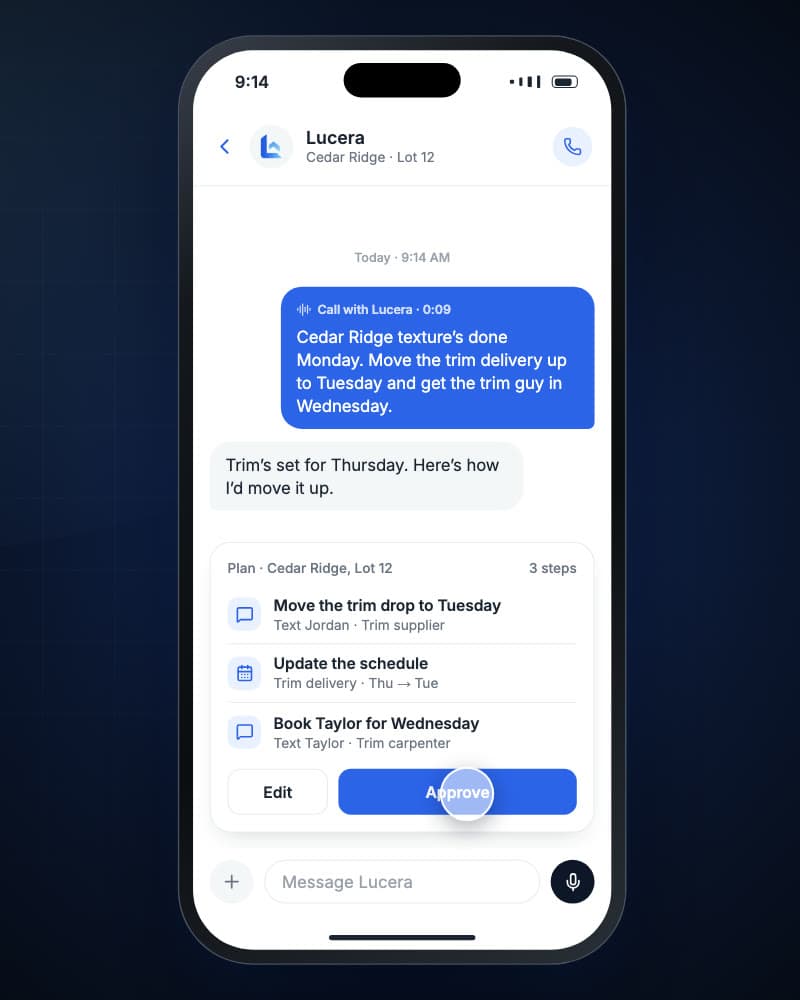
Call or text Lucera from the truck. Talk the way you would to a project coordinator who already knows the home.
02
Lucera lays out the schedule changes and messages it will send. Edit anything, then approve with a tap.
03
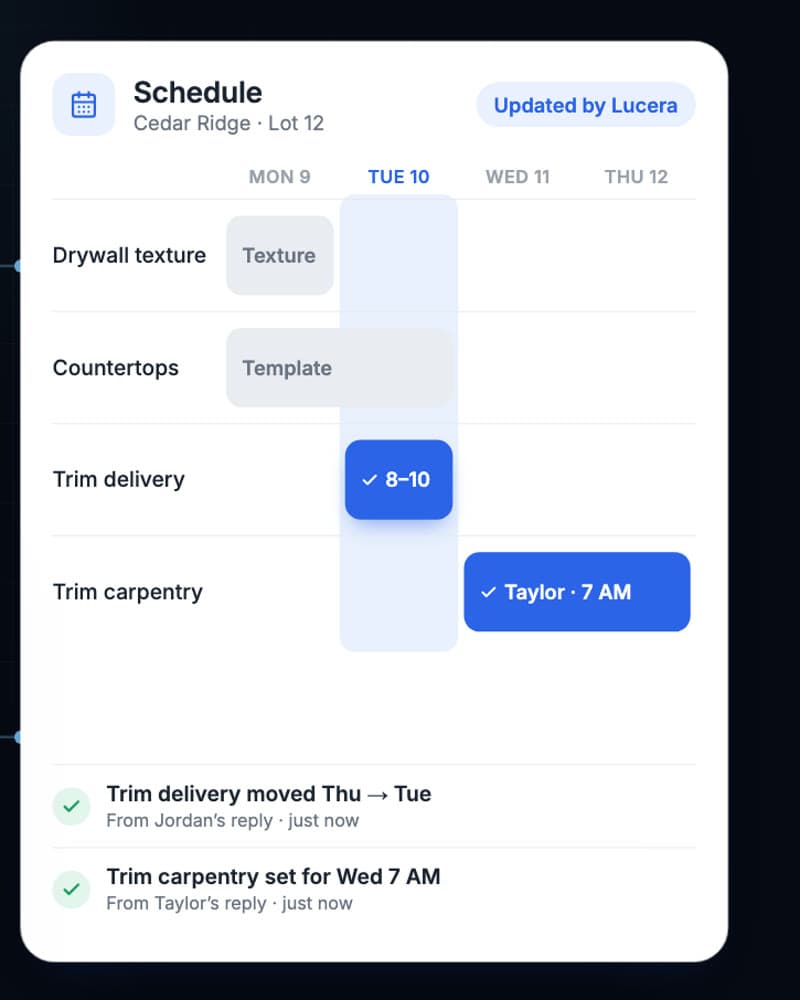
It texts your trades, reads their replies, and updates the schedule as each answer comes in.
What it handles
Confirm drops with suppliers and move them on the schedule.
Line up the next trade once the work before it is set.
Shift dates and see what moves with them before you approve.
Chase quiet trades and remind them of what they agreed to.
Send items to the right trade and track them to done.
Ask what’s next at any home and get a straight answer.
You stay in control
Lucera prepares the work and handles the follow-through. The decisions stay with you.
Every schedule change and first message waits for your review.
Completion reports come back to you. Lucera never signs off on work.
Replies, changes, and decisions stay with the home for the office to see.
More from Lucera
Compare every invoice line by line with similar homes, catch what doesn’t belong, and get it fixed with the vendor before you approve.
Hand off homeowner intake, trade coordination, scheduling, and follow-up through repair completion.
Place your plans on your lots to scale, see what they sell for nearby, and let Lucera send the requests to start the home.
A few practical questions
You call or text Lucera with what needs to happen at a home. It turns that into a plan of schedule changes and trade messages. After you approve, it texts the right trades, reads their replies, updates the schedule, follows up when someone goes quiet, and brings anything that needs your judgment back to you.
No. You review the proposed schedule changes and outgoing messages before they are applied or sent. Once a coordination is approved, Lucera handles the replies and follow-up and comes back to you when something needs a decision.
No. Trades and suppliers reply by the text or email channel agreed during onboarding. They do not need an app or a login.
No. Lucera works alongside your current tools. During onboarding we set up your homes, schedules, and vendor contacts and agree on any schedule handoffs.
Lucera also offers bill processing, warranty management, and pre-construction planning. Most builders start with one workflow and add others once it is proving useful.
Book a demo. We will walk through your superintendent’s week, agree on a small group of homes, the tasks in scope, pricing, and a start date, then guide onboarding. The film and examples on this site use illustrative data.
Let’s talk about your homes
Show us a week in your superintendent’s life. We’ll walk through Lucera on your homes and agree on a practical first pilot, including scope, pricing, and a start date.